Printing and exporting
Browser
To Print from a browser, use the option to Export to PDF. You can then print the PDF directly.
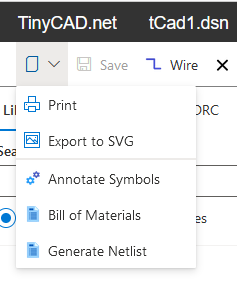
Desktop App
Use the toolbar menu Print option.
The desktop app opens a print dialog for your operating system. Select your printer, check the page settings, and then print the drawing.
SVG export
You can also export SVG. SVG is useful for embedding in documents/web pages. Notes:
- SVG export contains the current sheet only (single page format)
- Free SVG-to-DXF converters are available online
- See Page Size if you need to adjust the sheet dimensions before printing or exporting.
- See Design Details box if you want title block details included in the output.
-
See Multiple Sheet Drawings if your design uses more than one sheet.
- Back to Drawing
- Back to v4 contents